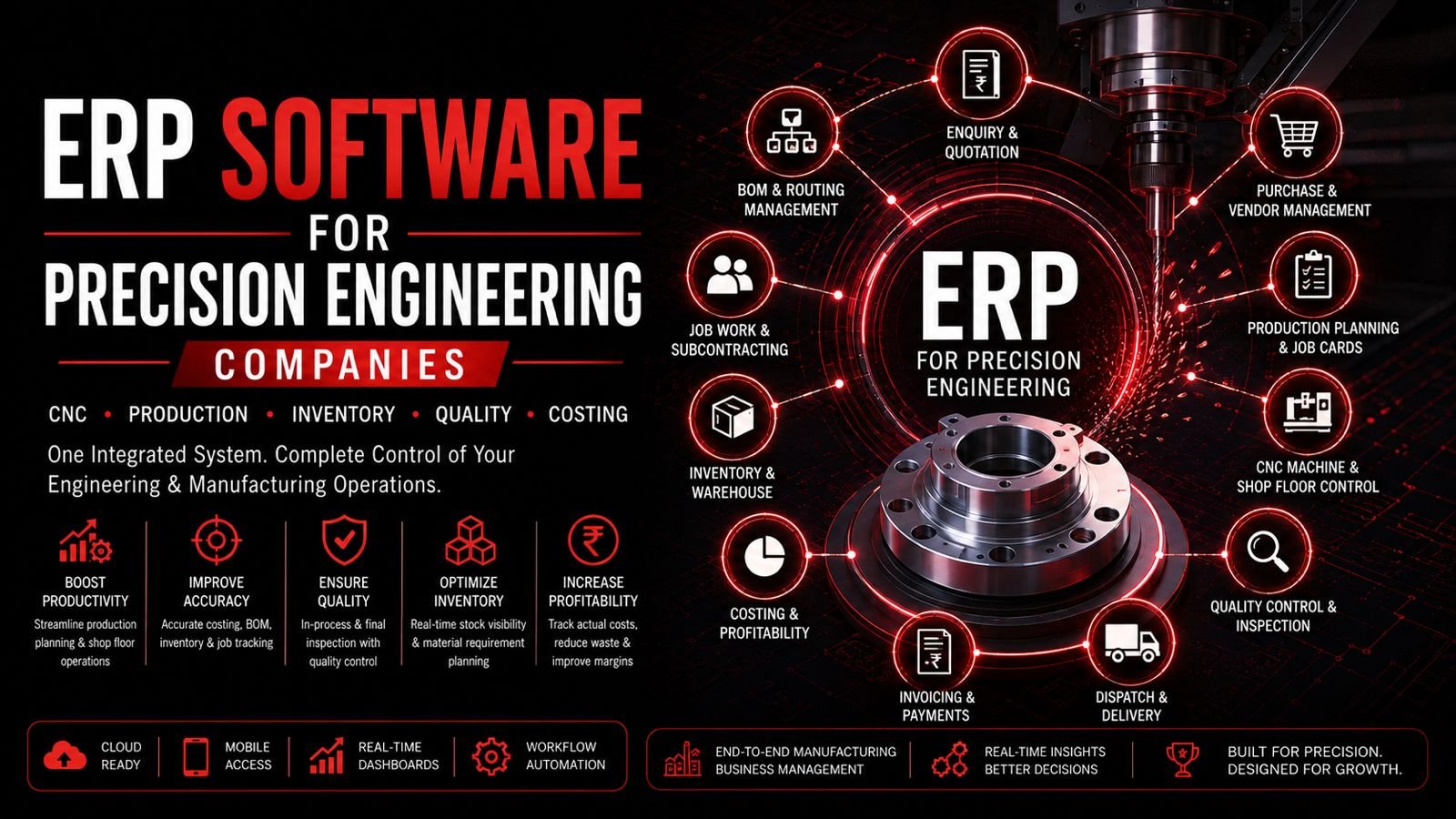
Inventory management software for manufacturing companies is a system that helps manufacturers track raw materials, components, work-in-progress (WIP), finished goods, stock movements, purchases, warehouse quantities, material consumption, reorder levels and inventory reports. It replaces manual stock registers and spreadsheets with structured inventory control across purchasing, production and dispatch.
- Manufacturing inventory software tracks raw materials, WIP, finished goods and consumables
- Centralized inventory visibility helps prevent stockouts and overstocking
- Barcode/QR and batch/serial tracking improve traceability
- Integration with purchase and production reduces manual data entry
- Reorder alerts help maintain optimal stock levels
- Multi-warehouse support enables distributed inventory management
- Mobile inventory access allows real-time stock visibility
- Inventory costing supports better financial management
- AI-assisted forecasting helps plan inventory requirements
- Choosing the right system depends on manufacturing complexity and scale
- Manufacturing Inventory Workflow
- What Is Manufacturing Inventory Software?
- Why Manufacturers Need Inventory Software
- Types of Manufacturing Inventory
- Key Inventory Modules
- Warehouse Management
- Barcode & QR Management
- Batch, Lot & Serial Tracking
- Material Consumption Tracking
- BOM & Inventory Integration
- Production & Inventory Integration
- Inventory Forecasting
- Inventory Costing
- Inventory vs Excel
- Inventory vs ERP
- Inventory for Different Industries
- Multi-Warehouse Inventory
- Inventory Automation
- AI in Inventory Management
- Inventory Integrations
- Inventory Security
- Mobile Inventory Management
- Inventory Software Cost
- Implementation Process
- When to Use Inventory Software
- Buyer's Guide & Checklist
- Common Inventory Mistakes
- Inventory Software in Bangalore
- FAQs
- Conclusion
- Get Started
Manufacturing Inventory Workflow
This workflow represents the inventory cycle in a manufacturing company. Inventory management software tracks stock at each stage, from purchase to production to dispatch, providing real-time visibility into material availability and movement.
What Is Manufacturing Inventory Management Software?
Inventory management software for manufacturing companies is a system designed to track and manage all inventory types in a manufacturing environment: raw materials, components, consumables, work-in-progress (WIP), finished goods and scrap. It provides visibility into stock levels, movements, consumption and availability across warehouses and production locations.
The system typically includes features for item master management, purchase management, stock in/out, stock transfers, reorder management, barcode/QR scanning, batch/lot/serial tracking, and inventory reporting. It helps manufacturers maintain optimal stock levels, reduce carrying costs and improve material availability.
Why Manufacturing Companies Need Inventory Software
Manufacturing companies often face inventory challenges that software can address:
- Manual stock registers: Paper-based systems are error-prone and difficult to maintain
- Excel-based inventory: Spreadsheets become unwieldy with growing SKUs and transactions
- Stock discrepancies: Physical stock often differs from records
- Overstocking: Excess inventory ties up working capital
- Stockouts: Material shortages disrupt production
- Material shortages: Invisible stock levels lead to purchase delays
- Poor warehouse visibility: Difficulty locating materials
- Untracked material consumption: No visibility into how materials are consumed in production
- Difficult WIP tracking: Materials in production are not visible
- Manual stock reconciliation: Physical counting is time-consuming and infrequent
- Difficulty identifying slow-moving stock: Obsolete inventory accumulates
Inventory software centralizes stock information, automates tracking, provides real-time visibility and enables better inventory planning.
Types of Manufacturing Inventory
1. Raw Materials
Examples: Steel, aluminium, copper, plastics, chemicals, sheet metal, components. Software tracks receipt, issue and consumption.
2. Components
Purchased components and sub-components used in assembly or production.
3. Consumables
Examples: Lubricants, coolants, packaging, welding consumables, cutting tools. Track stock and consumption.
4. Work in Progress (WIP)
Materials currently in production. Software tracks WIP quantities and stages.
5. Finished Goods
Completed products awaiting dispatch or sale. Track stock and availability.
6. Scrap
Track scrap quantity, reason, value and material loss for better visibility.
Key Inventory Modules
1. Item Master Management
Manage item codes, SKU, names, units of measurement, categories, specifications, minimum and maximum stock levels.
2. Purchase Management
Manage purchase requisition, supplier, purchase order, goods receipt and material receipt.
3. Stock In
Record receipt, quantity, supplier, date, warehouse, batch/lot and inspection status.
4. Stock Out
Manage material issue, sales dispatch, production consumption and internal transfers.
5. Stock Transfers
Handle warehouse-to-warehouse, location and department transfers.
6. Stock Adjustments
Manage physical count differences, damaged stock, corrections and approved adjustments.
7. Reorder Management
Set minimum stock, reorder point, safety stock, receive alerts and plan purchases.
Warehouse Management for Manufacturing
Warehouse management covers:
- Multiple warehouses and storage locations
- Bin management for precise material location
- Receiving, put-away, picking, packing and dispatch processes
- Stock transfers between warehouses
- Physical stock verification and cycle counting
Warehouse management differs from inventory management by focusing on the physical movement and storage of materials within warehouses, while inventory management focuses on stock levels and valuation.
Barcode & QR Code Inventory Management
Manufacturers can use barcode/QR systems for:
- Item identification and labeling
- Stock receipt and put-away
- Material issue to production
- Stock transfer between warehouses
- Warehouse scanning for picking and packing
- Dispatch and shipping
- Physical stock counting
Barcode/QR scanning reduces manual data entry errors and speeds up inventory transactions. Implementation depends on hardware and integration.
Batch, Lot & Serial Number Tracking
- Batch Tracking: Group of products/materials produced or received together
- Lot Tracking: Traceability by production or purchase lot
- Serial Number Tracking: Individual unit tracking for high-value items
These features are important for industries requiring traceability, such as aerospace, automotive and pharmaceuticals.
Material Consumption Tracking in Manufacturing
Track material flow: Material Available → Material Issue → Production Consumption → WIP → Finished Product
- Planned consumption: Based on BOM and production plan
- Actual consumption: What is actually used in production
- Variance: Difference between planned and actual
- Material wastage: Loss during production
- Scrap: Material that cannot be used
How BOM Integrates With Inventory Management
BOM helps determine:
- Required raw materials and components for production
- Material quantities needed
- Availability of materials in inventory
- Production requirements based on sales orders
- Purchase requirements for shortages
Example: Finished Product → Components → Raw Materials. Inventory software uses BOM to check material availability and generate purchase requests.
Integrating Inventory With Production
Workflow: Sales Order → Production Requirement → Material Requirement → Inventory Check → Purchase → Production → WIP → Finished Goods
Production and inventory should not operate as disconnected systems. Integration ensures material availability for production and visibility into WIP and finished goods.
Inventory Demand Forecasting
Forecasting helps plan inventory based on:
- Historical consumption patterns
- Sales orders and production plans
- Lead times for materials
- Seasonal demand variations
- Safety stock requirements
- Reorder points and economic order quantity
Forecasting accuracy depends on data quality and business conditions.
Inventory Costing for Manufacturing
Inventory costing methods include:
- Purchase cost: Actual cost paid to suppliers
- Material cost: Cost of raw materials
- Average cost: Weighted average cost of inventory
- Standard cost: Predetermined cost based on estimates
- Actual cost: Actual cost incurred
Inventory valuation affects financial statements and decision-making.
Inventory Management vs Excel
| Area | Excel | Inventory Software |
|---|---|---|
| Stock Tracking | Manual | ✓ Automated |
| Multiple Warehouses | Difficult | ✓ Yes |
| Stock Movement | Manual entry | ✓ Automated |
| Reorder Alerts | Manual | ✓ Automatic |
| Material Consumption | Not tracked | ✓ Tracked |
| Barcode | No | ✓ Yes |
| Batch Tracking | Difficult | ✓ Yes |
| Reporting | Manual | ✓ Automated |
Inventory Software vs ERP
- Inventory Software: Focuses primarily on stock and warehouse processes
- ERP: Connects inventory with finance, sales, purchase, production, HR and other business functions
Standalone inventory software may be sufficient for smaller operations, while ERP is more appropriate for integrated business management.
Inventory Software for Different Manufacturing Industries
Precision Engineering
Raw materials, components
CNC Manufacturing
Material, WIP, finished
Auto Components
Parts, inventory
Aerospace
Traceability, serial
Electronics
Components, batches
Chemicals
Lot, expiry
Food
Batch, expiry
Pharmaceutical
Batch, serial
Multi-Warehouse Inventory Management
- Track stock across multiple warehouses and locations
- Manage inter-warehouse stock transfers
- View stock availability across all warehouses
- Centralized reporting for all inventory locations
Inventory Automation
- Reorder alerts and notifications
- Stock notification for low stock
- Automatic purchase request generation
- Material issue workflow automation
- Stock transfer approvals
- Automated inventory reports
- Stock reconciliation suggestions
AI in Manufacturing Inventory Management
- Demand forecasting: Predict material requirements
- Reorder recommendations: Suggest optimal reorder quantities
- Slow-moving stock identification: Highlight obsolete inventory
- Anomaly detection: Identify unusual stock movements
- Consumption trend analysis: Understand usage patterns
- Purchase recommendations: Suggest purchase plans
- Stock optimization: Balance stock levels with demand
- AI-generated reports: Natural language inventory reporting
Inventory Integrations
- ERP for business management
- CRM for customer management
- Accounting for financial integration
- Procurement for purchasing
- Production systems for manufacturing
- E-commerce for online sales
- POS for retail
- Websites and mobile apps
- Barcode scanners and hardware
- APIs for custom integrations
- BI/analytics systems
Inventory Data Security
- User authentication and access control
- Role-based permissions for inventory functions
- Warehouse-level access restrictions
- Audit logs for all inventory transactions
- Data encryption for sensitive information
- Regular backups and recovery
- API security for integrations
- Data retention policies
Mobile Inventory Management
- Stock lookup and availability checking
- Stock receipt and material issue
- Stock transfer approvals
- Barcode scanning on mobile devices
- Inventory counting and reconciliation
- Approval workflows
- Stock alerts and notifications
- Inventory reports on mobile
How Much Does Inventory Software Cost?
Cost depends on:
- Number of users
- Number of warehouses
- Number of SKUs/items
- Modules required
- Barcode requirements
- Batch/serial tracking needs
- Production integration
- ERP integration
- Mobile application
- Customization
- Hosting (cloud vs on-premise)
- Data migration
- Support and training
Categories: Basic Inventory Software → Manufacturing Inventory System → Integrated ERP Inventory → Custom Enterprise Inventory Platform
Inventory Software Implementation Process
- Understand inventory workflows and pain points
- Define warehouses, locations and storage bins
- Clean item master data (remove duplicates, correct units)
- Define units of measurement and categories
- Configure stock movements (receipt, issue, transfer, adjustment)
- Set reorder levels and safety stock
- Configure barcode/batch/serial requirements
- Integrate purchasing and production systems
- Migrate existing inventory data
- Perform physical stock reconciliation
- Train employees on the system
- Go live and monitor
- Optimize processes
When Should a Manufacturing Company Use Inventory Software?
- Increasing SKU count and inventory complexity
- Multiple warehouses or storage locations
- Increasing purchase volume and supplier base
- Frequent stock discrepancies and stockouts
- Material shortages affecting production
- Excess inventory and overstocking
- Growing production with multiple lines
- Increasing WIP and production stages
- Difficult stock reconciliation
- Spreadsheet dependency and manual errors
- Need for real-time stock visibility
Buyer's Guide: How to Choose Inventory Software
- Manufacturing compatibility: Does it support manufacturing inventory types?
- Item master: Supports item codes, SKU, units, categories
- Raw material management: Track receipt, issue, consumption
- WIP management: Track work-in-progress inventory
- Finished goods: Track completed products
- Warehouse management: Multiple warehouses, locations, bins
- Purchase integration: Purchase orders and goods receipt
- Production integration: Material consumption and WIP
- Barcode: Barcode/QR support for scanning
- Batch/lot tracking: Traceability by batch/lot
- Serial tracking: Individual unit tracking
- Reorder management: Alerts and purchase planning
- Inventory valuation: Costing methods
- Reporting: Dashboards and analytics
- Mobile access: Mobile app for warehouse and management
- API integration: Connect with other systems
- Security: Access control and audit logs
- Scalability: Grow with business
- Data migration: Support for existing data
- Support: Training and ongoing support
50-Point Inventory Software Checklist for Manufacturing
Common Inventory Management Mistakes
- Poor item master data (duplicates, incorrect units)
- No stock reconciliation between physical and system counts
- Ignoring WIP and scrap tracking
- No reorder levels or safety stock settings
- Overstocking and excess inventory
- Stockouts due to poor planning
- Poor warehouse organization and storage
- No batch/lot tracking where required
- Manual stock adjustments without approval
- Choosing software only on price
- Not integrating inventory with production
Inventory Management Software for Manufacturing in Bangalore
Bangalore's Manufacturing Inventory Needs
Manufacturing companies across Peenya, Yeshwanthpur, Rajajinagar, Nelamangala, Bommasandra, Jigani, Hosur Road, Electronic City, Whitefield and Devanahalli need inventory management software to track raw materials, WIP, finished goods and warehouse stock. Whether you are a precision engineering shop, auto component manufacturer or general engineering company, centralized inventory control improves material availability and operational efficiency.
Inventory management software helps Bangalore manufacturers reduce stock discrepancies, automate reorder processes and gain real-time visibility into inventory across multiple warehouses and production locations.
Frequently Asked Questions
Explore More Solutions
Conclusion: Bring Your Manufacturing Inventory Under Control
Manufacturing companies need more than spreadsheets to manage inventory. Inventory management software provides real-time visibility into raw materials, WIP, finished goods, warehouse stock and material consumption. Whether you are a precision engineering shop, auto component manufacturer or general engineering company, the right inventory system helps reduce stock discrepancies, prevent stockouts and improve operational efficiency.
By implementing inventory management software, manufacturers can track materials from purchase to production to dispatch, automate reorder processes and gain insights into inventory performance. The key is to choose a solution that understands manufacturing inventory requirements and can integrate with production and purchasing processes.
Ready to Bring Your Manufacturing Inventory Under Control?
If your manufacturing business is ready to replace spreadsheets with a structured inventory management system, request a consultation to discuss your stock, warehouse, purchasing and production requirements.